This guide shows households in Great Britain how to read every common type of electricity meter, from old dial meters to smart meters and Economy 7 two-rate meters, and then how to turn two readings into kWh, a daily average and a cost. Knowing how to read an electricity meter lets you send accurate readings, avoid estimated bills and spot unusual use before it becomes a large bill.
Quick answer: To read an electricity meter with a digital display, write down the first five numbers from left to right and ignore red digits and anything after a decimal point. On a dial meter, read five dials left to right and take the lower number when a pointer sits between two. Smart meters send readings automatically.
What type of electricity meter do you have?
Most homes in Great Britain have one of five meter types: single-rate digital, two-rate digital (often Economy 7), dial, smart, or prepayment. How to read an electricity meter depends on its type, so identify it first.
- Single-rate digital: one row of black or white numbers, sometimes with a red digit or a decimal at the end.
- Two-rate digital: two rows of numbers, or one display that switches between two readings labelled such as R1 and R2, Low and Normal, or Rate 1 and Rate 2.
- Dial meter: a row of small clock faces, usually five you read plus sometimes a red one marked 1/10 that you ignore.
- Smart meter: a digital display with buttons or a keypad that can send readings to your supplier. It is separate from the in-home display (IHD), the handheld screen that shows use and cost.
- Prepayment meter: any of the above set up to take credit before use; the reading method is the same, and the screen may also show credit and debt.
If you still have an older radio teleswitch (RTS) meter that switches between day and night rates by a radio signal, Ofgem says this equipment is no longer supported and that problems with it will be harder to fix, so ask your supplier about a replacement.
How to read an electricity meter with a digital display
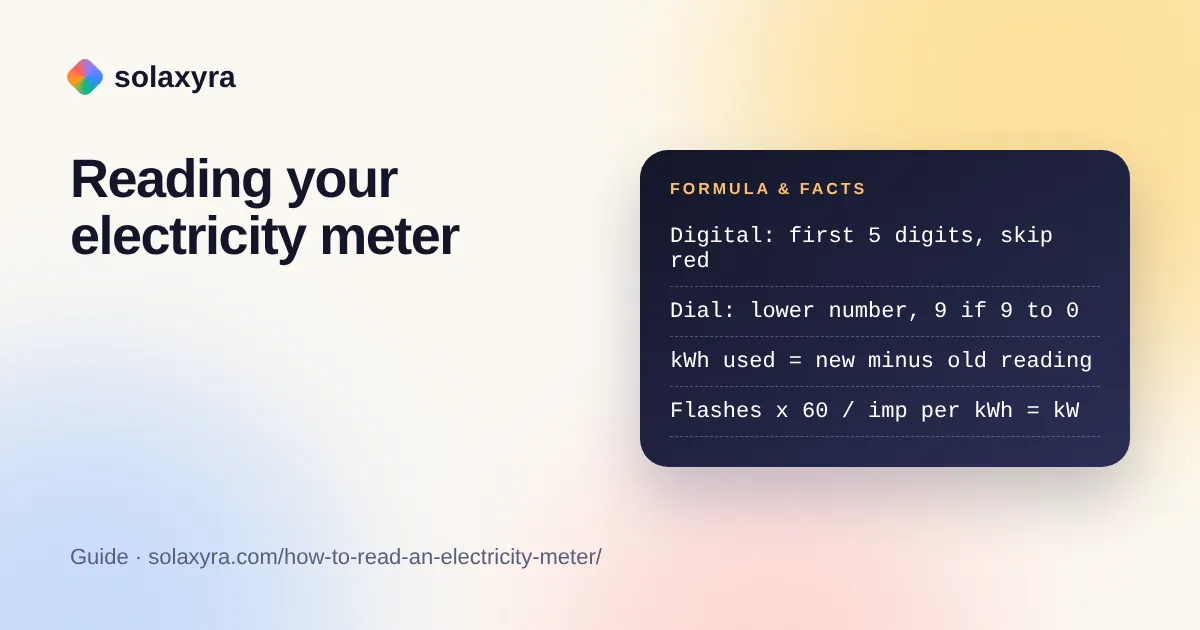
Write down the first five numbers from left to right, including any zeros at the start, and ignore red numbers and anything after a decimal point. A display showing 08472.3 is recorded as 08472. These are kilowatt-hours (kWh), the same “units” shown on your bill.
- Find the meter: usually in a meter cupboard, hallway, under the stairs or in an external box.
- Check it is the electricity meter: it will be marked kWh. Gas meters show cubic metres or cubic feet.
- Note the meter serial number if you have more than one meter, so readings match the right supply.
- Write the first five digits left to right, keeping leading zeros.
- Ignore red digits, digits after a decimal point and any boxed tenths.
- Write down the date, then submit the reading through your supplier’s account or app.
How do you read a dial electricity meter?
Read the five dials from left to right and, where a pointer sits between two numbers, write down the lower number; if it sits between 9 and 0, write 9. Ignore any red dial marked 1/10. Neighbouring dials are geared together, and on many meters adjacent pointers turn in opposite directions, so look at the numbers on each face rather than assuming they all count clockwise.
The one tricky case is a pointer that looks exactly on a number. Look at the next dial to the right. If that dial has not yet passed 0 (it is still showing 9 and something), the pointer has not really reached the number, so write the number one lower. If the dial to the right has passed 0, keep the number.
Example: five dials read 4, between 5 and 6, exactly on 3, 9 and a bit, 2. The second dial is written as 5. For the third dial, the dial to its right shows 9, which has not passed 0, so 3 becomes 2. The reading is 4 5 2 9 2, written 45292.
How do you read a smart electricity meter?
A smart meter sends readings to your supplier automatically, but you can show the import reading on the meter itself by pressing its display button until you see a kWh figure labelled IMP, Import, or Total Act Import. The government’s smart meter guidance explains that these meters record half-hourly consumption and send automatic readings, and that the in-home display updates electricity use in near real time.
Button layouts vary by manufacturer. Two patterns cover many meters:
- Keypad meters: press 9 for the single-rate import reading (IMP kWh). For two-rate, press 6 to see IMP R01, then 6 again for IMP R02.
- A and B button meters: press A (or the display button) repeatedly until Total Act Import or a kWh figure appears.
Record the whole-number kWh only. If your supplier keeps asking for manual readings, the meter may have lost smart mode, which can happen with some first-generation meters after switching supplier. Report it rather than leaving bills estimated.
How do you read an Economy 7 or two-rate meter?
A two-rate meter has two registers and you must send both: one counts electricity used in the cheaper night period and the other counts the rest of the day. On many meters rate 1 (R01, Low) is night and rate 2 (R02, Normal) is day, but it is not guaranteed.
To confirm which is which, read both registers late in the evening and again early the next morning. The register that went up overnight is your off-peak (night) register. Note the label so you never mix them up again; sending them the wrong way round makes a bill wrong by the gap between your day and night rates.
Example: night register 04512 on 1 October and 04680 on 31 October means 168 kWh at the night rate; day register 08890 to 09042 means 152 kWh at the day rate. Here 52 percent of use fell in the night period. Whether that suits your tariff depends on your two rates, which our Economy 7 calculator compares.
Which numbers should you record and ignore?
Record whole kWh only and ignore anything shown in red, after a decimal point, or on a 1/10 dial. This table sums up how to read an electricity meter of each type.
| Meter type | What to write down | What to ignore | Typical labels |
|---|---|---|---|
| Single-rate digital | First 5 digits, left to right, with leading zeros | Red digits, decimals | kWh |
| Two-rate digital | Both registers, 5 digits each | Red digits, decimals, total if shown separately | R1 and R2, Low and Normal, Rate 1 and Rate 2 |
| Dial | 5 dials, lower number if between two, 9 if between 9 and 0 | Red 1/10 dial | kWh on the face |
| Smart, single rate | Import kWh, whole number | Export register, decimals, instant kW | IMP, Total Act Import |
| Smart, two rate | Rate 1 and rate 2 import kWh | Total register if supplier asks for rates | IMP R01, IMP R02, TOU 1, TOU 2 |
| Meter with solar export | Import register for bills; export register for export payments | Never send export as use | EXP, Total Act Export |
How do you turn two meter readings into kWh and cost?
Once you know how to read an electricity meter, turning readings into cost is simple: subtract the earlier reading from the later one to get kWh used, divide by the days between them for a daily average, then multiply by your unit rate and add the daily standing charge for the cost. Under the Ofgem price cap for October to December 2026 the average direct debit rates are 26.32p per kWh and 54.83p per day.
Example: a single-rate meter reads 12345 on 1 October and 12612 on 31 October, 30 days later.
- Units used: 12612 minus 12345 = 267 kWh.
- Daily average: 267 ÷ 30 = 8.9 kWh a day.
- Energy cost: 267 × 26.32p = £70.27.
- Standing charge: 30 × 54.83p = £16.45.
- Total for the period: about £86.72 at average cap rates. Swap in the rates on your own bill.
- Yearly estimate: 8.9 × 365 = about 3,249 kWh, although October use is not a full-year average.
Ofgem’s typical domestic consumption values for 2026 are 2,500 kWh a year for single-rate electricity and 3,400 kWh for multi-register meters such as Economy 7. If your annualised figure is well above that, list your appliances in the home energy consumption calculator to see where the kWh go, or price one appliance with the electricity cost calculator. A higher figure is not automatically a problem; electric heating, an EV or a large household all push use up.
How can the meter’s flashing light show your live usage?
Most electronic meters have a small light that flashes once for a fixed amount of energy, printed on the meter as a constant such as 1000 imp/kWh, so counting flashes gives your live power draw. Electricity meter makers often fix this constant somewhere between 1,000 and 10,000 pulses per kWh, so read the figure on your own meter.
Live power in kW = flashes per minute × 60 ÷ meter constant.
Example: a meter marked 1000 imp/kWh flashes 20 times in 60 seconds. 20 × 60 = 1,200 flashes an hour, and 1,200 ÷ 1,000 = 1.2 kW. Switch off one appliance, count again, and the drop is roughly what that appliance draws. This works without touching anything, only looking at the light.
What are the most common meter reading mistakes?
The most common mistake when learning how to read an electricity meter is including a red or decimal digit, which makes a reading ten times too large. Others are easy to catch with a quick check.
- The new reading is lower than the last one: you have probably misread a dial, swapped two-rate registers, or the previous bill was estimated too high.
- A reading jumps by thousands: an extra digit was included or a digit was dropped.
- Two-rate readings look reversed: repeat the evening and morning check above.
- Solar home reading looks small: you may have read the export register instead of import.
- Wrong meter: flats and shared buildings often have rows of meters, so match the serial number to your bill.
Take a dated photo each time. A photo settles most billing disputes and lets you correct a typo before you submit.
Is it safe to read your own electricity meter?
Yes, reading the display or dials is safe, but never remove covers, break seals or touch the cables and the main fuse, which belong to your supplier or network operator. Only look at the display and press its buttons. If the meter is scorched, smells of burning, buzzes loudly, is wet, or has exposed wires, keep away from it and contact your supplier or network operator straight away. Any work on wiring around the meter, such as a new consumer unit, must be done by a qualified electrician and meet BS 7671.
Frequently Asked Questions
How many numbers do I read on an electricity meter?
Read the first five numbers from left to right, including zeros at the start. Ignore red numbers, digits after a decimal point and any 1/10 dial. If your meter shows only four black digits, send those four. The figures are in kWh, the units used on your bill.
Do I need to read my smart meter?
Usually not. A working smart meter sends readings to your supplier automatically. If your supplier asks for manual readings or your bills are estimated, the meter may have lost smart mode, so read the import kWh from its display and report the fault to your supplier.
Which reading is night on an Economy 7 meter?
Often rate 1 (R01 or Low) is night and rate 2 (R02 or Normal) is day, but meters differ. Read both registers late in the evening and again early the next morning; the one that increased overnight is your night register.
How do I work out my electricity use from two readings?
Subtract the older reading from the newer one to get kWh used, then divide by the number of days between them for a daily average. For example, 267 kWh over 30 days is 8.9 kWh a day, which costs about £2.34 a day at 26.32p per kWh.
What does the flashing light on my electricity meter mean?
Each flash is a fixed amount of energy shown on the meter, such as 1000 imp/kWh. Count flashes for one minute, multiply by 60 and divide by that constant to get your live power in kW. Twenty flashes a minute on a 1000 imp/kWh meter is 1.2 kW.
Why is my new meter reading lower than the last one?
A real reading cannot go down on an import register, so the earlier figure was probably an estimate, a misread dial, or two-rate registers swapped. Take a dated photo of the meter, check the serial number matches your bill and ask your supplier to correct the account.
Checked October 2026 by the Solaxyra Editorial Team. Sources: Citizens Advice: how to read your gas or electricity meter, Citizens Advice: how to read your smart electricity meter, GOV.UK: smart meters, how they work, Ofgem: get help with your smart meter, Ofgem: price cap October to December 2026, Ofgem: 2026 typical consumption values, Wikipedia: electricity meter.